EnergyAtlas Wiki
Workflows
Quick Start Workflows Python WebAPI Library User Stories Wiki Guide
  • Workflows Overview
  • Input and Output
  • Data Preparation
  • GUI Workflows
    • Urban Data Integration
    • Spatial Data Preview
    • Template Definition and Assignment
    • Scenario Design and Simulation
    • Running and Calibrating
    • Results View
    • LiDAR Workflows
  • Shading Guides
    • Shading Guide Index
    • Voxelization and Sensors
    • Sunlit Fraction
    • Sky and Horizon View Factors
    • Incident Radiation

Workflows

Template Definition and Assignment

Workflow for creating building archetypes (templates) and assigning them to buildings in your dataset.

Overview

Template definition and assignment is a critical step that maps your building data to representative energy models (archetypes). This workflow covers creating archetypes, defining assignment rules, and applying them to buildings.

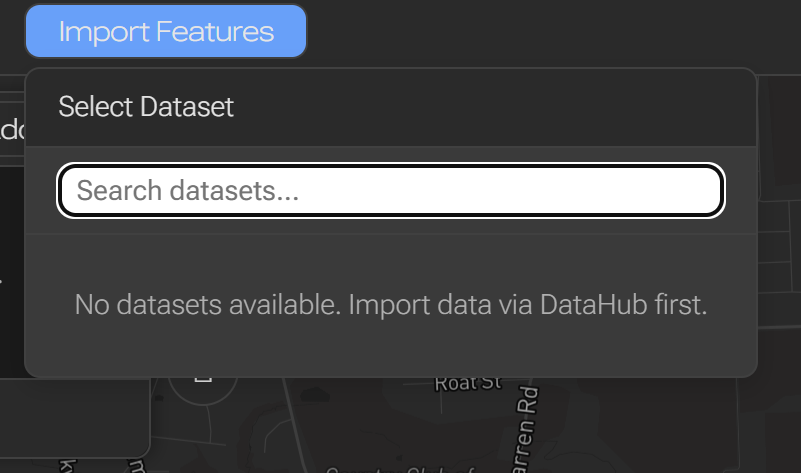
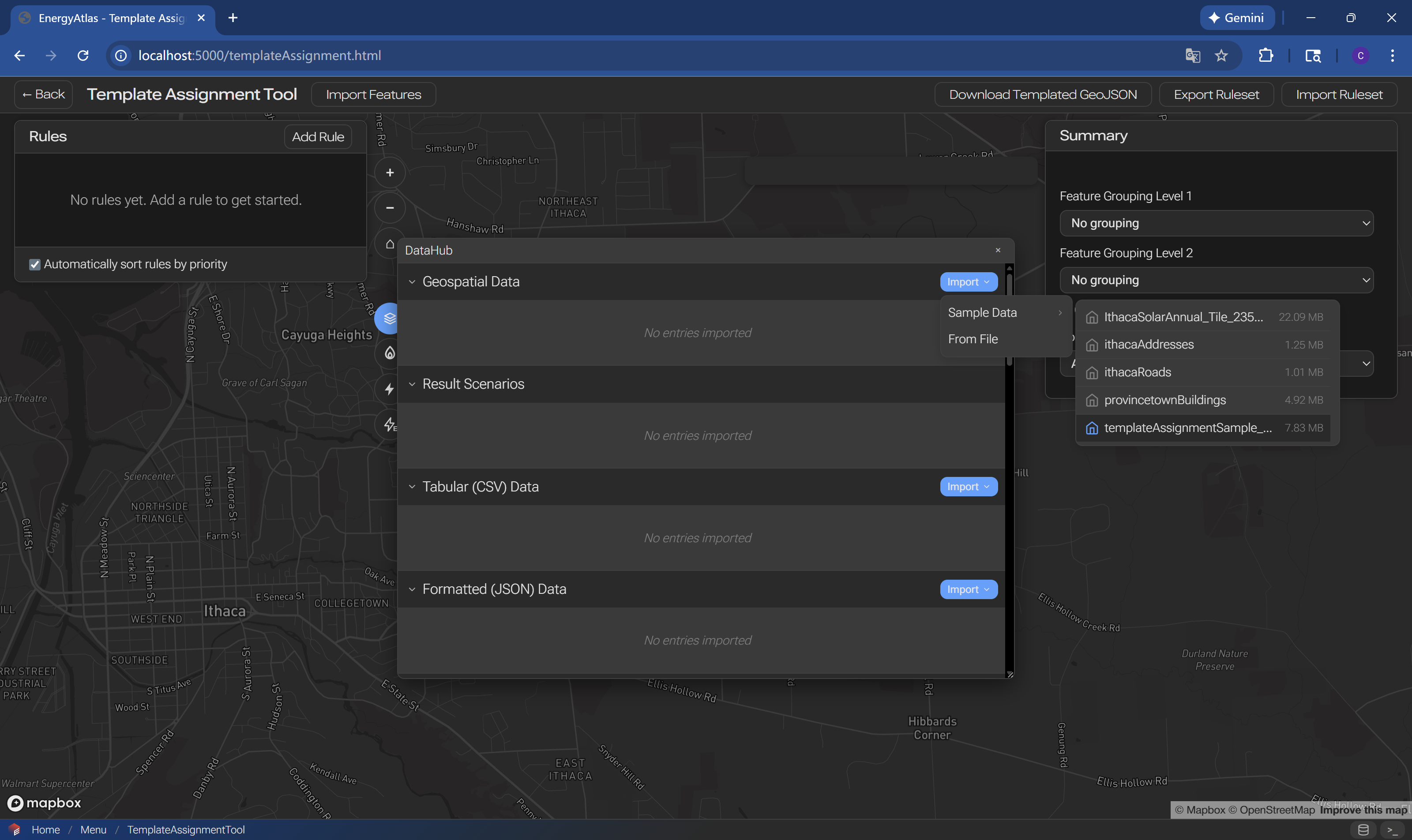
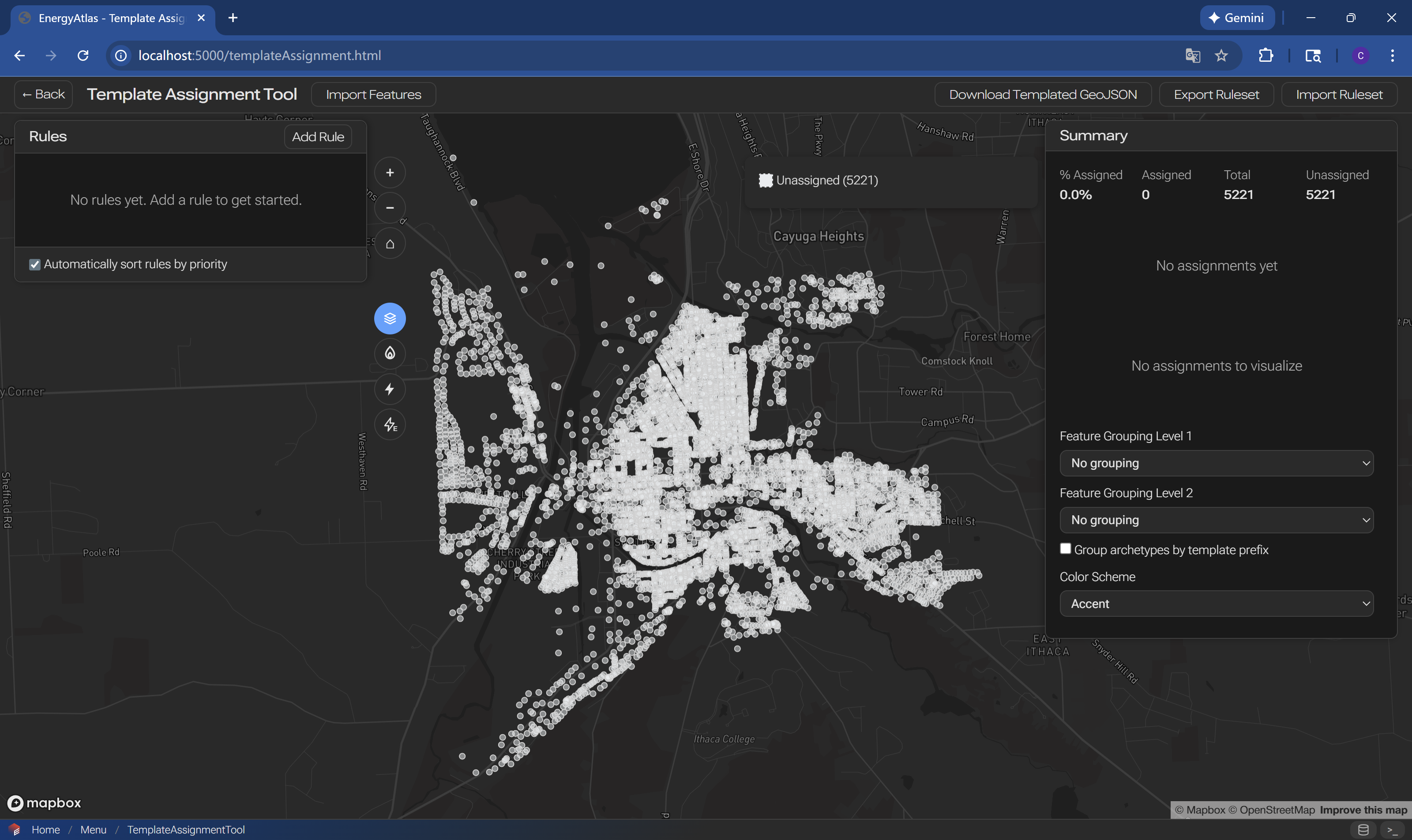
Step 1: Load Data
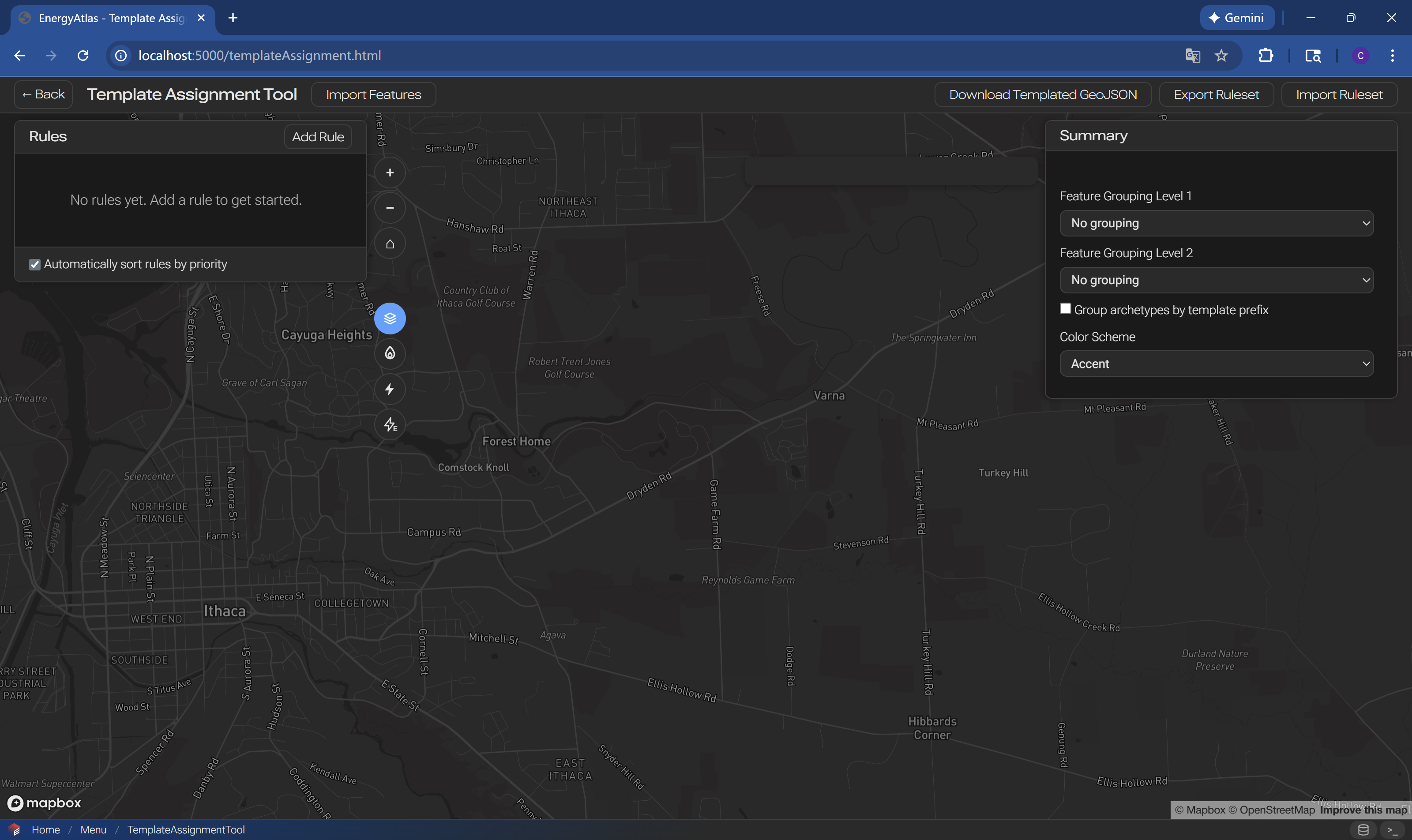
alt text alt text

alt text alt text

alt text

Step 2: Load Archetypes (Templates)
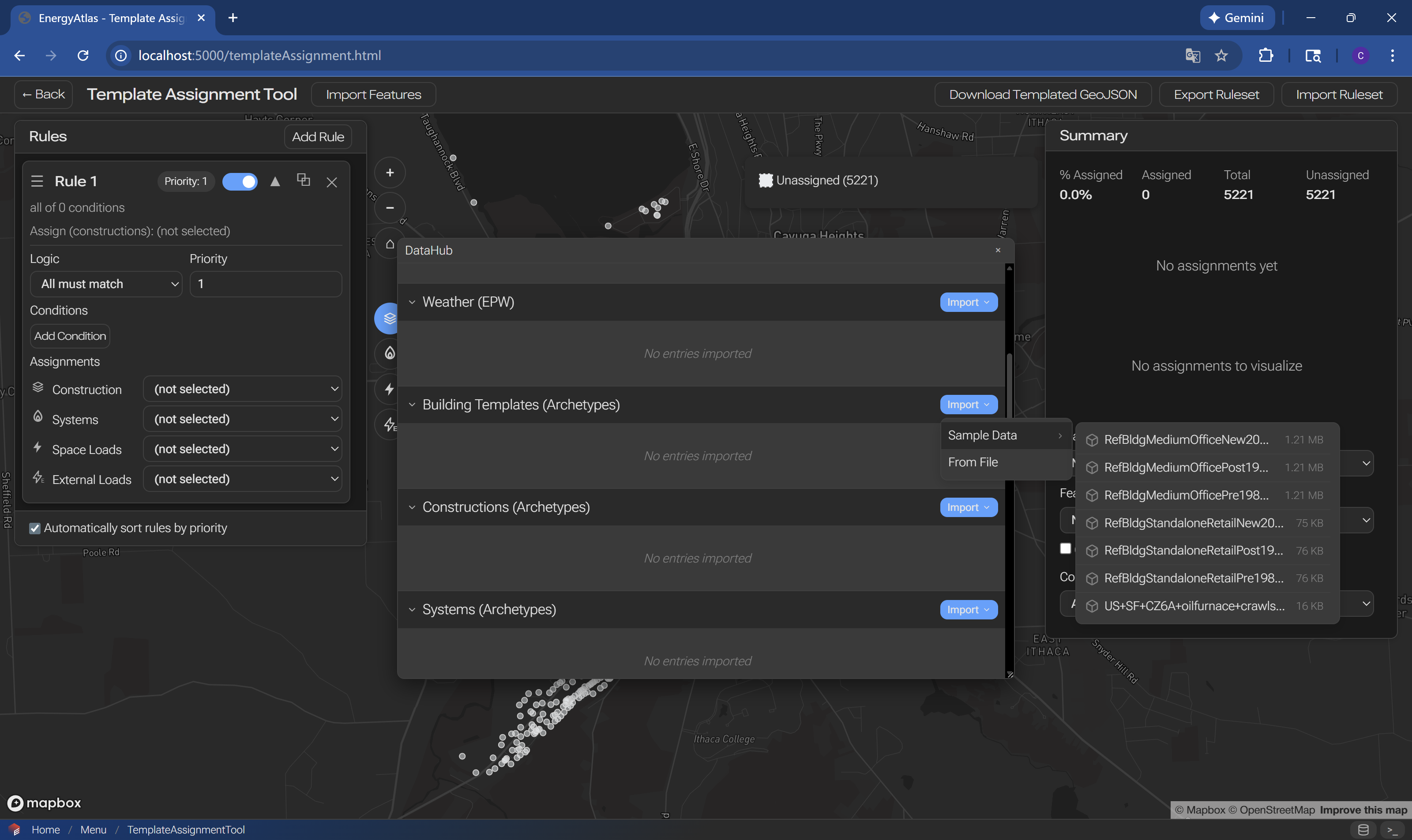
alt text alt text

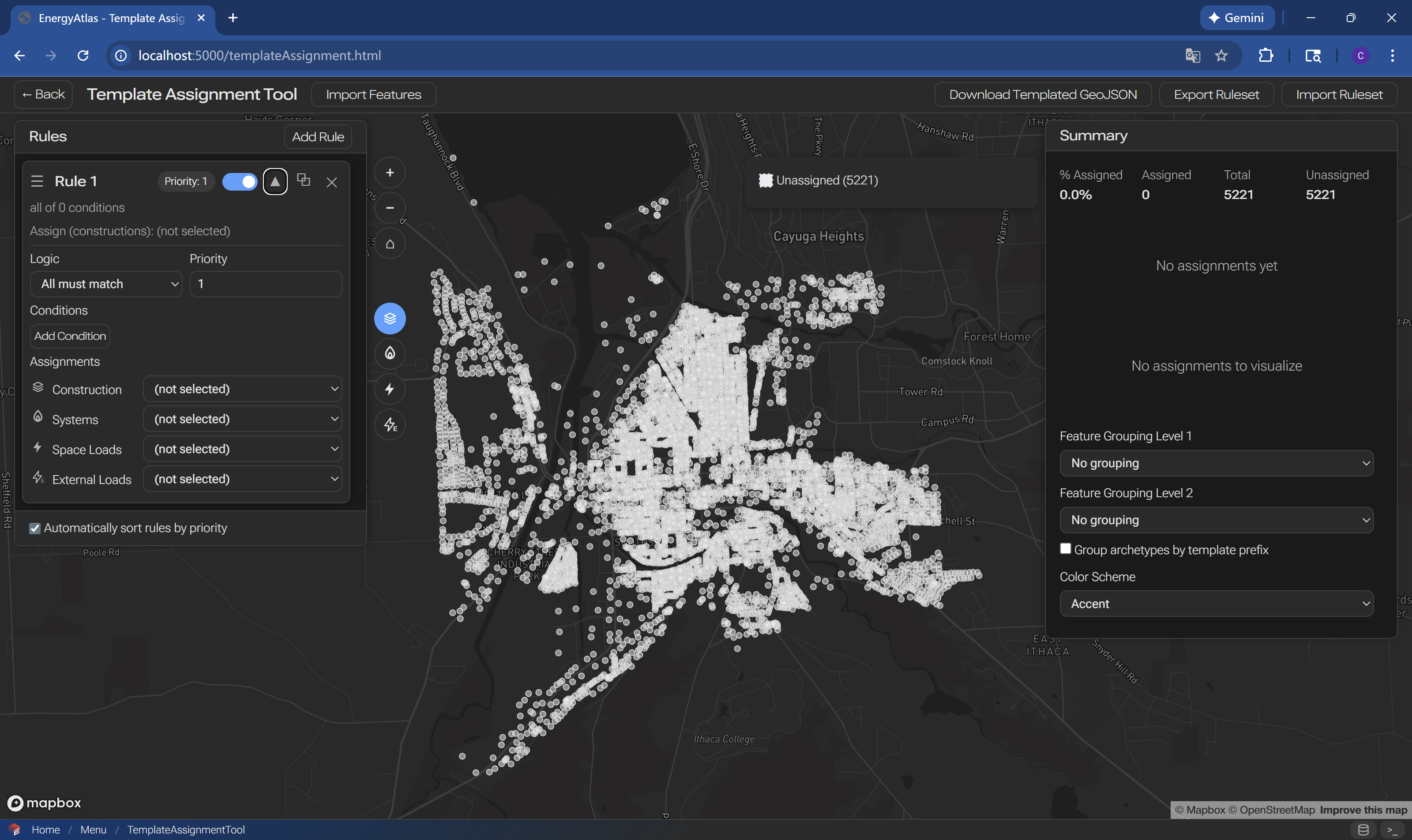
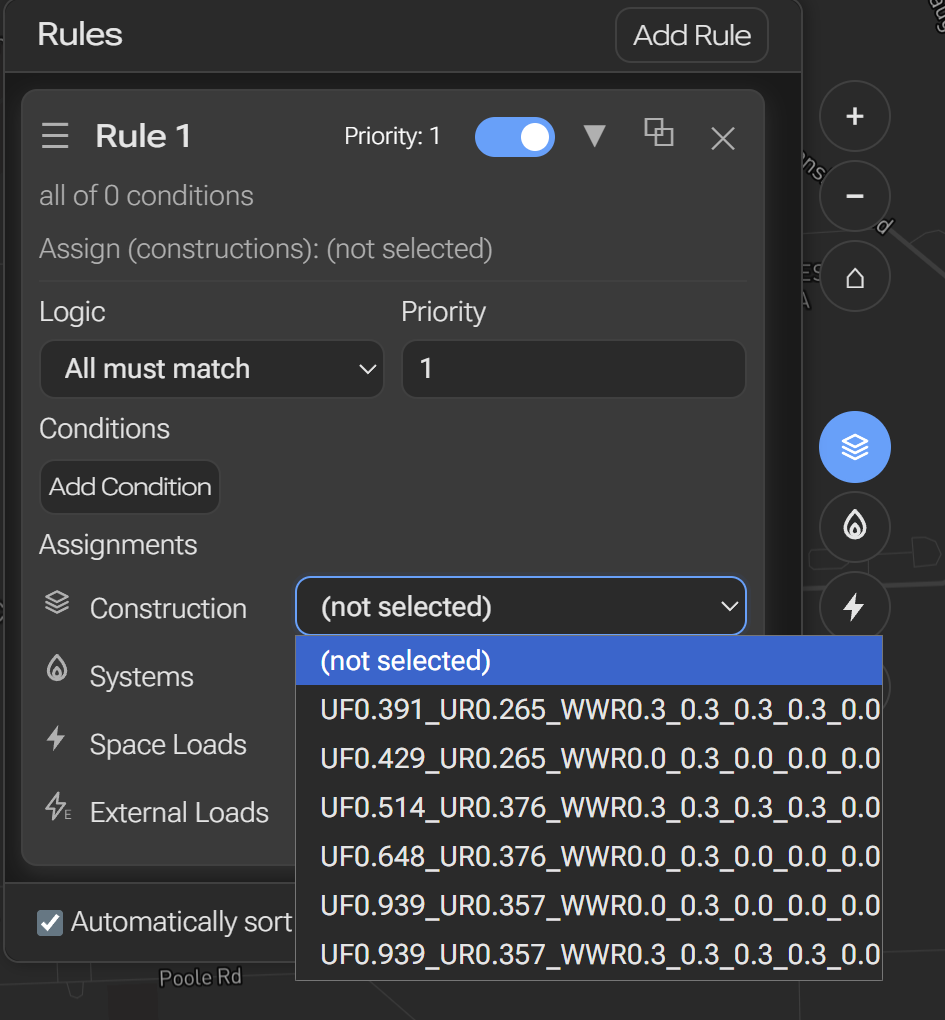
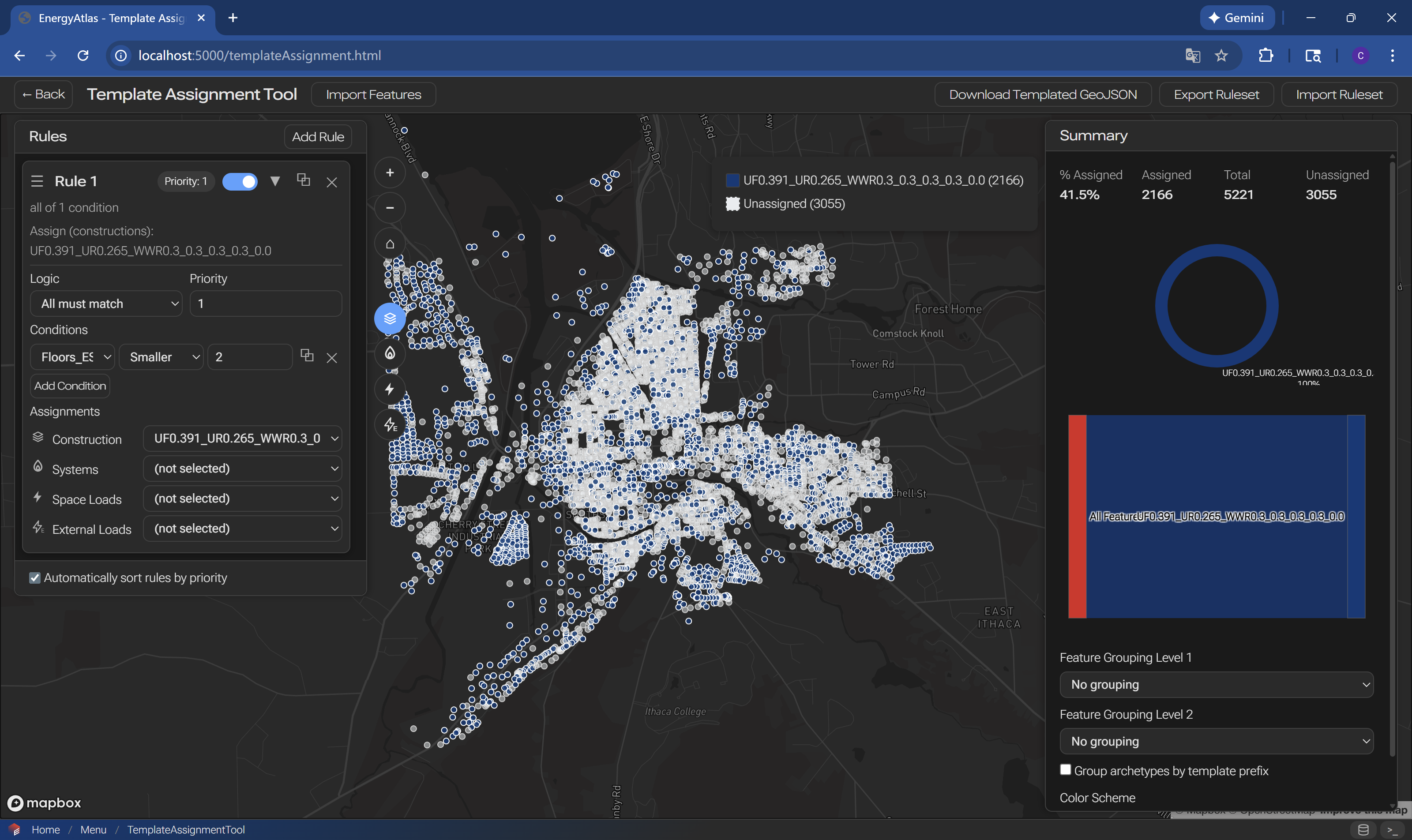
Step 3: Create Rules

alt text

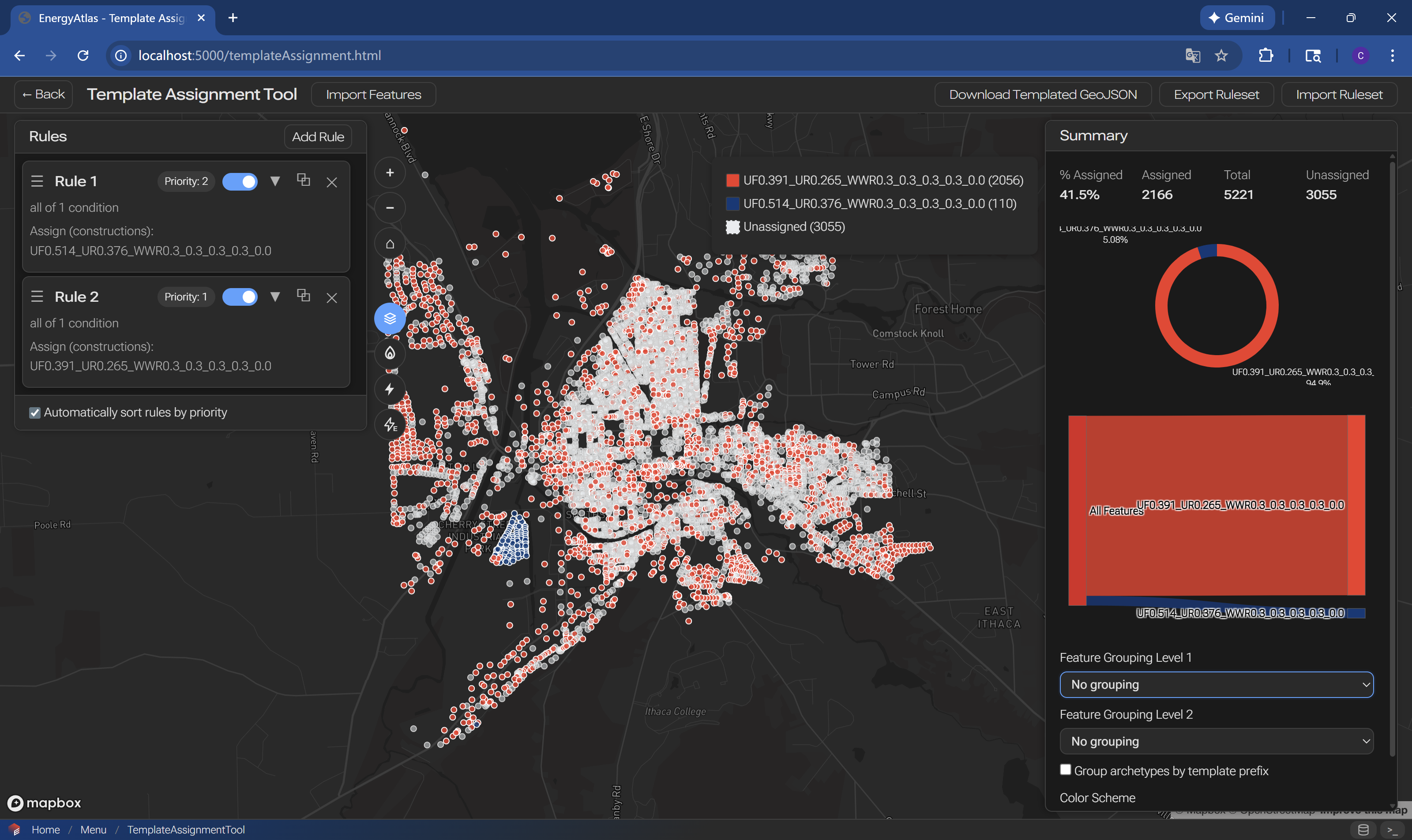
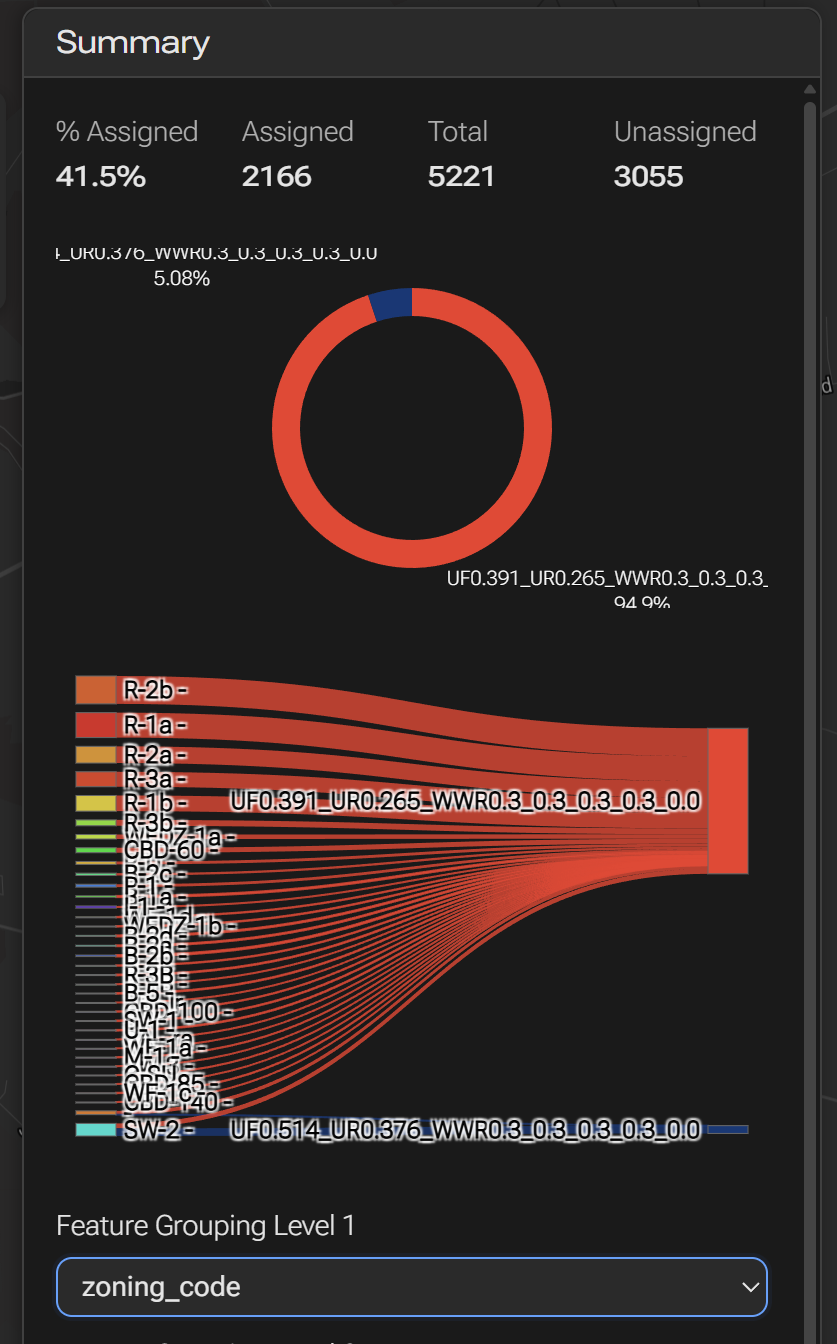
Step 4: Visualize Rules

alt text alt text alt text

Step 5: Export Rules

alt text

Next Steps

After assigning archetypes:

  • Running and Calibrating - Run energy simulations
  • Archetype Object - Learn about archetype structure
  • Archetype Assignment Rule - Rule specifications

Related Documentation

  • Archetype Library - Available archetypes
  • Archetype Object - Archetype data model
  • Workflows Guide - Other workflows
Spatial Data Preview Previous Scenario Design and Simulation Next

Last page update GMT-04:00 05:00 Jul 19 2026
Last website update GMT-04:00 05:00 Jul 19 2026

Found an issue on this page? Please open an issue on GitHub.

On this page

  • Template Definition and Assignment
    • Overview
    • Step 1: Load Data
    • Step 2: Load Archetypes (Templates)
    • Step 3: Create Rules
    • Step 4: Visualize Rules
    • Step 5: Export Rules
    • Next Steps
    • Related Documentation

WIP EnergyAtlas Wiki

EnergyAtlas Wiki is still under active development. Thank you for your patience while we improve the documentation. If you have any questions, please contact us.